This is the biggest redesign of the extension so far, and the popup, its settings, the ⋯ menu, and the in-page notices all got a new look. The popup now opens on your site, so its status and your numbers come first and every setting is one click away. There is nothing to set up, your settings carry over, and there are no new permissions.
Every main screen got a new look, from the popup to the in-page notices.
The popup opens on your site, with a switch to turn it off there.
Your settings moved into sheets that open from the overview in one click.
The ⋯ menu adds Silent mode, themes, and a reset that keeps your stats.
In-page notices use the new look and stay on top of the page.
No new permissions.
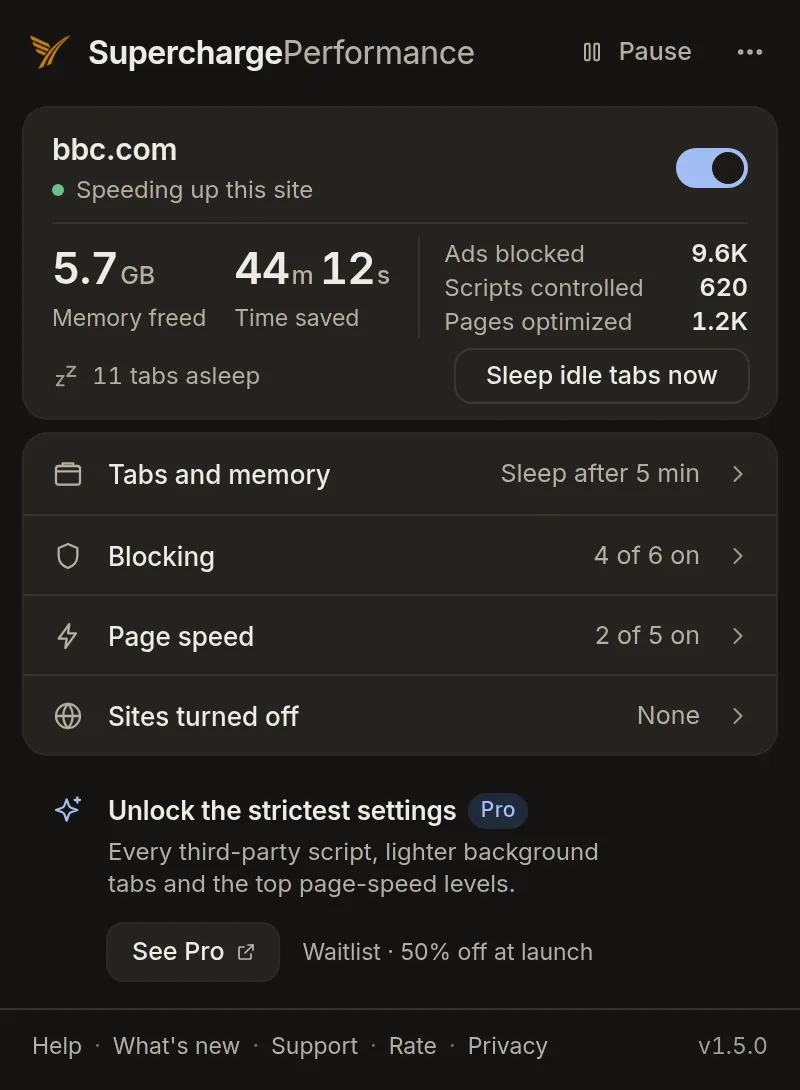
Click the Perf icon while a page is open. The popup now opens on that site, with its status line and a band of your numbers. Click a row to open its sheet, and open the ⋯ menu for the new items.
The Popup Starts With Your Site
Before, the popup opened on a long list of feature rows. Now it opens on the site you are on. At the top is its name and a status line, like “Speeding up this site” or “Nothing to speed up here”. A switch turns Perf off on just that site. Below is a band of your numbers: Memory freed, Time saved, Ads blocked, Scripts controlled, and Pages optimized. Under the numbers is a count of asleep tabs and a button to sleep the idle ones now. The numbers count up from what you last saw.
Find Any Setting From the Overview
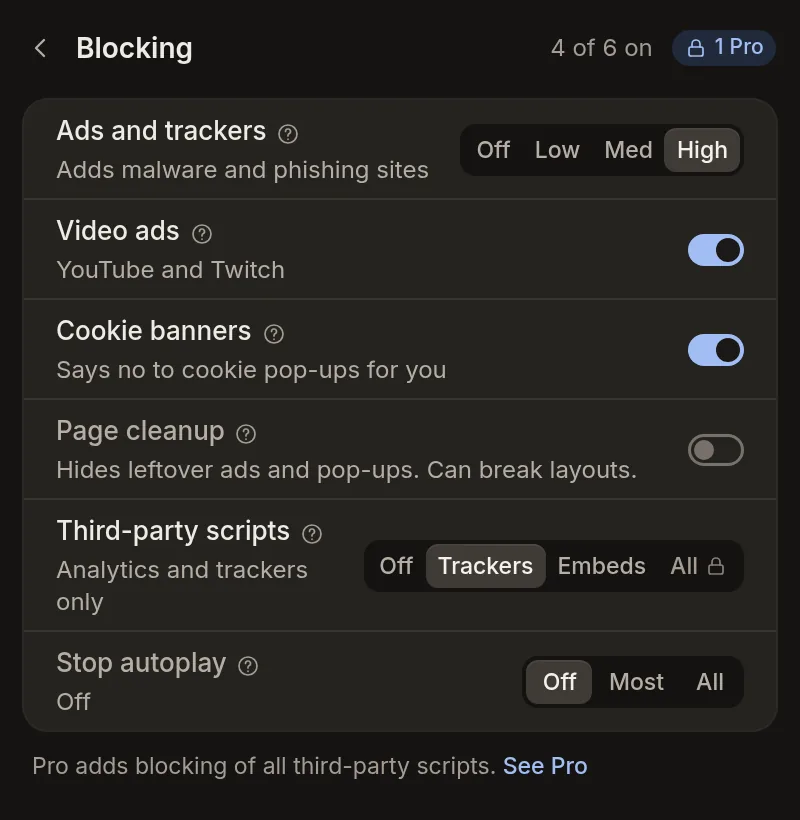
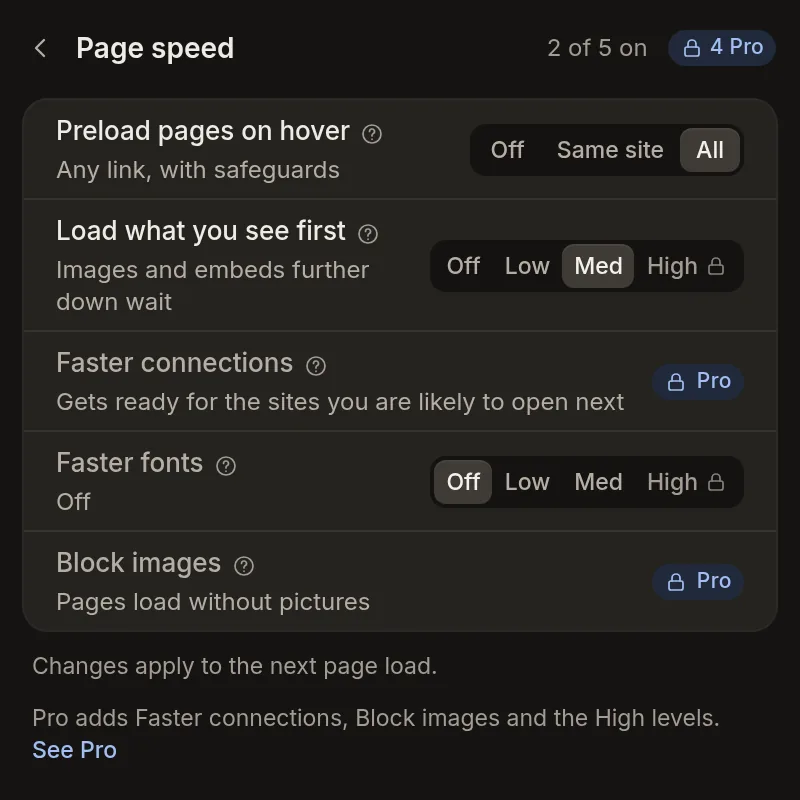
Each row on the overview opens a sheet with its details, and a back arrow brings you back. “Tabs and memory” holds the sleep settings. “Blocking” holds ads and trackers, video ads, cookie banners, page cleanup, third-party scripts, and stop autoplay. “Page speed” holds page preloading, load-what-you-see-first, faster connections, faster fonts, and block images. “Sites turned off” is where you add a site, choose what to turn off there, and remove it from the list again.
Shorter, Plainer Names
A few names are shorter and plainer. “Throttle Background Activity” is now “Lighter background tabs”. “Optimize Web Fonts” is “Faster fonts”. “Predictive DNS Prefetching” is “Faster connections”. “Preload Pages on Hover” is “Preload pages on hover”. Tooltips are written in plain words, and the ones under the numbers say they are estimates.
The ⋯ Menu Holds Themes, Silent Mode, and a Reset
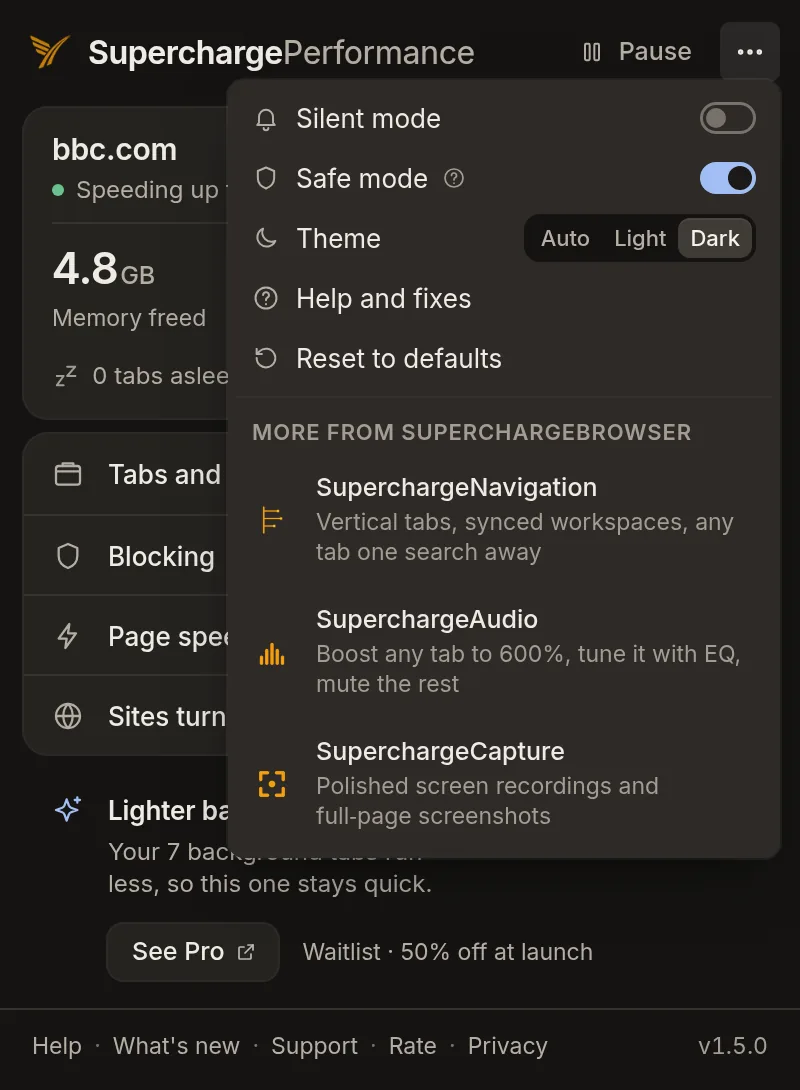
The ⋯ menu in the header holds more now. “Silent mode” mutes the on-page toasts and the tab pulse. “Theme” offers Auto, Light, and Dark. “Reset to defaults” asks you to confirm first. It restores every feature to its shipped level and keeps your stats, Pro status, and the sites you turned off.
The New Look Reaches the Page
In light and dark mode, the “Popup blocked” notice and broken-site card match the popup’s look. They stay on top of the page, so a YouTube account picture no longer shows over them.
Fixes & Other Changes
With Video Ad Blocking on, a YouTube video you open by clicking now starts with sound, and if you muted it yourself, it stays muted.
Reloading the same page a few times in a row no longer holds the load open for a few seconds.
The banner that promotes the other SuperchargeBrowser extensions only shows when you have 20 or more tabs open, or a tab is playing sound.
The review ask does not appear while you have Perf paused, on a site you turned off, or right after that site’s broken-site card.
Lighter background tabs, a Pro setting that did nothing before, now runs, and in a test background tabs did about a quarter less work. The tab you are on is never slowed, and tabs playing audio or video are left alone.
The home screen’s Pro line names one Pro setting that fits what you are doing and links to the Pro page.
Clickable items show a pointer, and keyboard focus shows a visible ring.
No new permissions.
Built solo
Did v1.5.0 land for you?
Your read is the only feedback signal I get.
Built solo
If this felt thoughtful, let me know.
Built by one person. Zero telemetry, no growth team. Your review is the only feedback signal I get, and the only way the next person finds this.