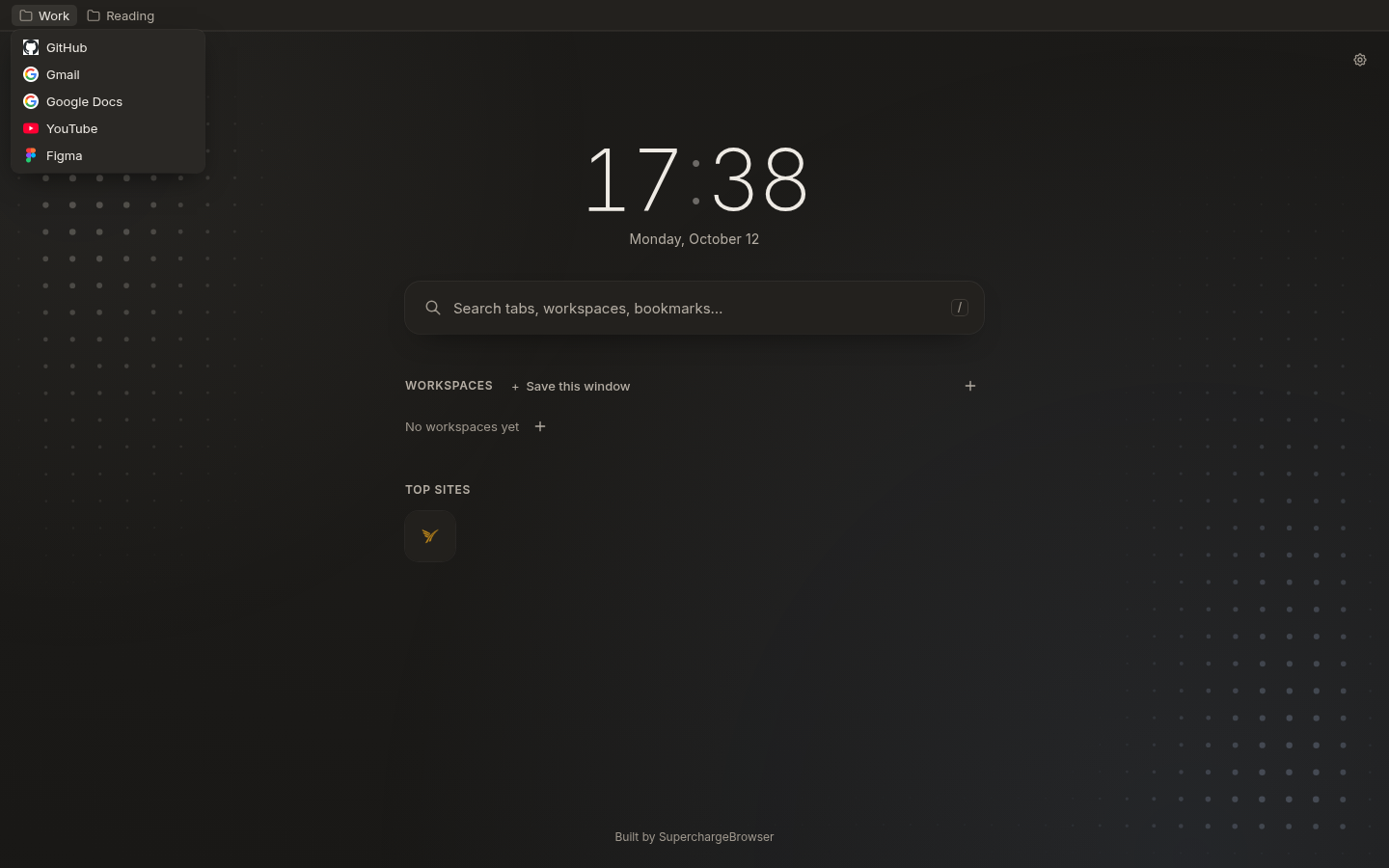
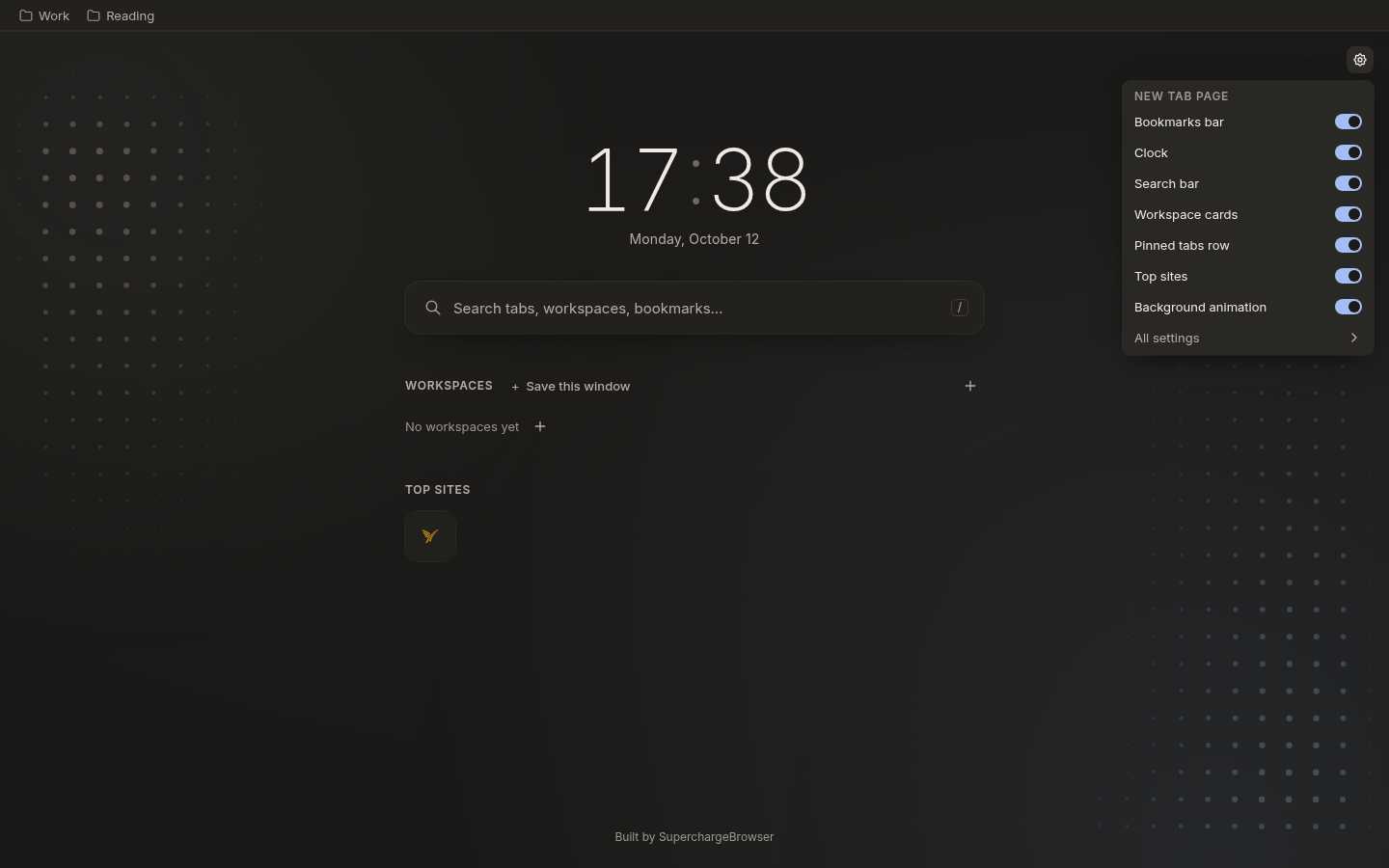
1.4.2 is a focused release for the new tab page. Your bookmarks bar is back at the top, on by default when the new tab page is on, and the gear button now opens quick settings for every section. There are no new permissions.
The bookmarks bar shows at the top of the new tab page again.
Folders open as menus. Items that do not fit go into a » menu.
The bar updates live as you add or change bookmarks.
The gear button opens quick settings with a switch for each section.
Menus open instantly, and clicking no longer selects a heading.
Your Bookmarks Bar, Back at the Top
The new tab page can show your bookmarks bar at the top again, and it is on by default when the new tab page is on. Folders open as menus, and the items that do not fit go into a » menu. The bar updates live: add or change a bookmark and the bar follows. Since 1.4.0, the browser no longer showed its new tab bookmarks bar on Nav’s page, and you asked for it back.
Quick Settings on the New Tab Page
The gear button on the new tab page opens a small panel of quick settings. Each section has its own switch: the bookmarks bar, the clock, the search bar, the workspace cards, the pinned tabs row, the top sites, and the background animation. A link at the bottom of the panel takes you to all settings. A change applies instantly, so the page follows your switch.
Fixes & Other Changes
“Save this window” is now a plain action, with no text cursor or box behind it.
Clicking a heading no longer selects it.
Menus open instantly, with a short animation.
The “Restore default new tab” link is gone from the new tab page footer. Turning the new tab page off stays in settings.
No new permissions.
Built solo
Did v1.4.2 land for you?
Your read is the only feedback signal I get.
Built solo
If this felt thoughtful, let me know.
Built by one person. Zero telemetry, no growth team. Your review is the only feedback signal I get, and the only way the next person finds this.